Choosing the right office chair affects your daily comfort, long-term health, and work productivity. The average office worker spends over 1,700 hours per year sitting at their desk. That time adds up, and the wrong chair can lead to back pain, poor posture, and decreased focus.
This guide answers the question many buyers face: what office chair should I buy? We examine the key factors that determine whether an office chair will meet your needs, including ergonomic features, materials, adjustability options, and budget considerations. By the end, you will understand exactly what to look for when selecting your next desk chair.

Understanding Office Chair Types and Their Intended Uses
Office chairs come in several distinct categories, each designed for specific applications and user needs. Understanding these categories helps narrow your search before examining individual features.
Task Chairs represent the most common office seating category. These chairs provide basic functionality for general desk work, typically featuring height adjustment, swivel capability, and moderate padding. Task chairs suit environments where users move between workstations or spend shorter periods seated. They typically lack headrests and may have fixed or no armrests.
Ergonomic Office Chairs prioritize body support and adjustability. These chairs include multiple adjustment points for seat height, seat depth, lumbar support, armrest position, and backrest angle. An ergonomic office chair suits users who spend extended periods at their desks and want to minimize strain on their spine, neck, and shoulders.
Executive Office Chairs combine comfort with professional appearance. These chairs typically feature high backs, premium materials like leather upholstery, and generous padding. Executive chairs suit private offices and conference rooms where appearance matters alongside comfort.
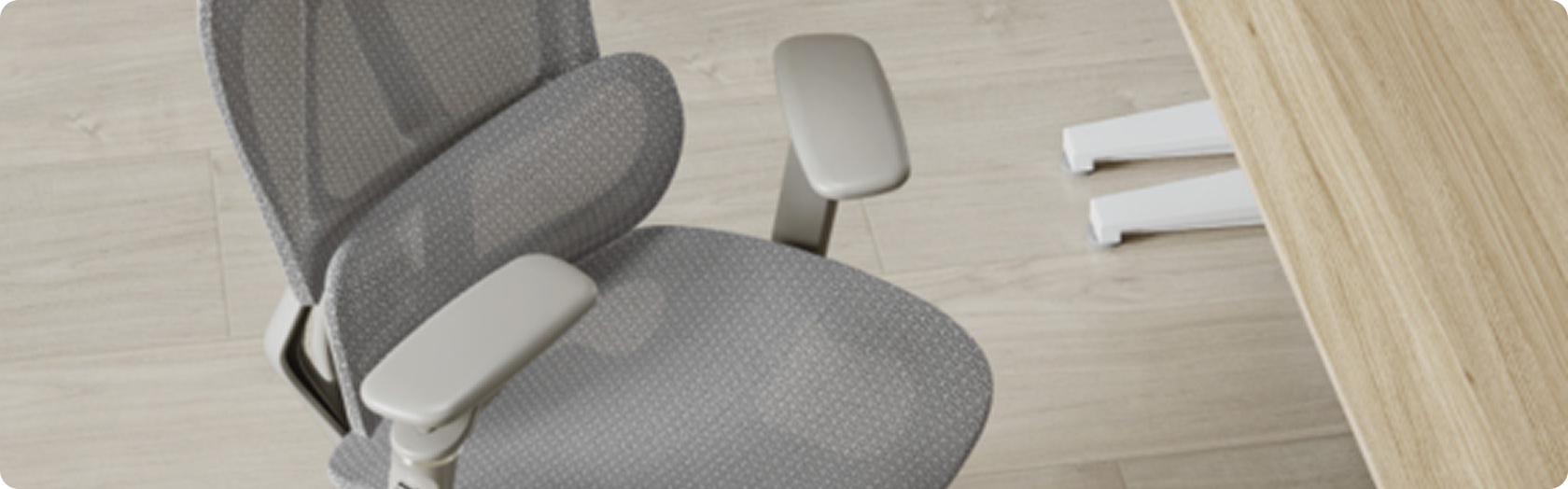
Mesh Office Chairs use breathable mesh fabric for the backrest, seat, or both. The mesh allows air circulation, preventing heat buildup during long sitting sessions. A mesh office chair works well in warm environments or for users who tend to feel hot while working.
Leather Office Chairs use genuine leather, bonded leather, or synthetic leather upholstery. These materials provide a professional look and soft seating surface. A leather office chair suits traditional office aesthetics and users who prefer cushioned rather than mesh surfaces.
Gaming Chairs borrow racing seat designs with bucket seats, high backs, and bold styling. While marketed primarily for gaming, some users adopt these chairs for office work. However, gaming chair ergonomics often fall short of dedicated office seating for extended professional use.
The following table summarizes typical characteristics of each chair type:
| Chair Type | Typical Price Range | Best For | Key Features |
|---|---|---|---|
| Task Chair | $100-$300 | Short-duration tasks, shared workstations | Basic adjustments, compact design |
| Ergonomic Chair | $300-$1,000+ | All-day desk work, users with back issues | Multiple adjustments, lumbar support |
| Executive Chair | $400-$1,500+ | Private offices, client-facing spaces | High back, premium materials, professional look |
| Mesh Chair | $200-$800 | Warm environments, breathability priority | Ventilated design, lightweight |
| Leather Chair | $300-$1,200+ | Traditional offices, comfort priority | Soft surface, professional appearance |
| Gaming Chair | $150-$500 | Gaming, casual home office use | Bold styling, recline function |
Your work environment, sitting duration, and aesthetic preferences determine which category best suits your needs. Many modern chairs blend features from multiple categories.

Essential Ergonomic Features for Comfortable Office Seating
Ergonomic design directly impacts whether an office chair will support comfortable, healthy sitting over extended periods. Certain features matter more than others when evaluating office chair options.
Lumbar Support ranks among the most critical office chair features. The lumbar region of your lower spine curves inward naturally. Proper lumbar support maintains this curve, preventing the flattening that causes lower back pain during prolonged sitting. Look for chairs with adjustable lumbar support that can move up, down, in, and out to match your spine position.
Fixed lumbar support provides a single position that may or may not align with your body. Adjustable lumbar allows customization for your specific anatomy. Some chairs offer inflatable lumbar cushions for fine-tuned pressure adjustment. An office chair with lumbar support should position the support pad at your lower back, not mid-back.
Seat Height Adjustment enables proper positioning relative to your desk. When seated, your feet should rest flat on the floor with thighs parallel to the ground. Standard office chair height adjustment ranges from approximately 16 to 21 inches, accommodating most users. Taller or shorter individuals may need chairs with extended adjustment ranges.
The adjustment mechanism typically uses a pneumatic gas lift controlled by a lever under the seat. Quality gas lifts maintain position reliably without gradually sinking. Inferior mechanisms may lose pressure over time, requiring replacement.
Seat Depth and Width affect thigh support and hip comfort. The seat should support your thighs without pressing against the back of your knees. Seat depth adjustment (also called seat slider) allows forward or backward positioning of the seat pan. A seat depth of 17-20 inches suits most users, with 2-3 fingers of clearance between the seat edge and your knee back.
Seat width typically ranges from 17-20 inches for standard chairs. Users requiring more space should look for wide seat options or chairs specifically designed for larger body types.
Backrest Adjustment includes angle adjustment and height adjustment in some models. The backrest should support your entire back when reclined slightly (100-110 degrees from horizontal). Backrests that lock in multiple positions allow personalized positioning throughout the day.
High back office chairs extend up to support the shoulder blades and sometimes the head. Mid back office chairs support the lumbar and mid-back regions. Low back chairs provide primarily lumbar support. Your preference depends on how much upper back support you want.
Armrest Adjustability reduces shoulder and neck strain when typing or using a mouse. Fixed armrests position your arms at one height regardless of your body dimensions. Adjustable armrests accommodate different users and tasks.
Armrest adjustment dimensions include:
- Height: Moves armrests up and down (most common adjustment)
- Width: Moves armrests closer together or farther apart
- Depth: Slides armrests forward or backward
- Pivot: Angles armrests inward or outward
Chairs marketed as having "3D armrests" or "4D armrests" typically adjust in three or four of these dimensions. Higher adjustability means better customization for individual users.

Comparing Office Chair Materials and Construction Quality
The materials used in office chair construction affect comfort, durability, breathability, and appearance. Understanding material options helps you select a chair that performs well over its expected lifespan.
Mesh Fabrics provide breathability that traditional upholstery cannot match. The open weave allows air to flow through the backrest and sometimes the seat, preventing heat and moisture accumulation. Mesh quality varies significantly between products.
Premium mesh maintains tension and shape over years of use. Inferior mesh stretches, sags, or develops permanent impressions from body weight. Elastomeric mesh (found in high-end chairs) provides both support and give, conforming somewhat to body contours while maintaining structural integrity.
A breathable office chair using mesh suits users who experience discomfort from heat buildup. Mesh back chairs with foam seats offer a balance between breathability and cushioned seating surfaces.
Foam Cushioning provides the padded feel in traditional office chairs. Foam density, thickness, and quality determine comfort and longevity. Higher density foam (measured in pounds per cubic foot) resists compression and maintains shape longer than low-density foam.
Memory foam conforms to body shape but may retain heat. High-resilience foam provides support and bounce without excessive heat retention. Molded foam seats maintain consistent shape across the seating surface. Cut foam seats may show seams or uneven surfaces.
The office chair cushion should maintain consistent support across its surface without bottoming out (compressing completely to the chair base). Insufficient cushioning causes pressure points on the seat bones.
Upholstery Materials cover the foam or padding in non-mesh chairs. Common options include:
- Genuine Leather: Durable, breathable, develops patina over time, highest cost
- Bonded Leather: Leather fibers bonded to fabric backing, moderate durability, lower cost
- PU Leather (Synthetic): Polyurethane surface mimicking leather, easy cleaning, may crack over time
- Fabric: Various textiles from polyester to wool blends, breathable, may stain
Leather office chair options suit traditional aesthetics and users who prefer soft seating surfaces. Fabric chairs offer more color options and typically cost less than leather equivalents.
Frame Materials determine structural integrity and weight capacity. Common frame materials include:
- Steel: Strong, heavy, durable, may rust if coating fails
- Aluminum: Lightweight, corrosion-resistant, premium appearance
- Nylon/Plastic: Lightweight, cost-effective, adequate for normal use
- Wood: Aesthetic applications, typically decorative rather than structural
The base (typically five-spoke for stability) and gas lift cylinder handle significant stress. Quality chairs use reinforced nylon or metal bases rated for the chair's weight capacity.
Caster Wheels affect mobility and floor protection. Standard hard casters suit carpeted floors. Soft casters (often polyurethane) protect hard floors from scratching. Locking casters allow the chair to remain stationary when desired.
Office chair wheels should roll smoothly without wobbling. Cheap casters may crack, jam, or damage flooring over time. Replacement casters are available for most chairs if the originals wear out.

How to Select an Office Chair for Long Hours of Daily Use
Users who sit for extended periods face different requirements than those who use their chairs intermittently. Selecting an office chair for long hours demands attention to features that maintain comfort and support health over time.
Prolonged Sitting Considerations include pressure distribution, micromovement capability, and sustained support. Static sitting in any position strains the body. Quality office seating enables position changes while maintaining proper support.
An office chair for long hours should include:
- Adjustable seat depth to prevent thigh pressure
- Breathable materials to manage heat and moisture
- Multiple recline positions for posture variation
- Armrest adjustability to support varied tasks
- Lumbar support that maintains position throughout the day
Posture Support features help maintain spinal alignment during extended sitting. The human spine performs best when its natural S-curve is preserved. Chairs that force flat backs or excessive slouching contribute to long-term spinal problems.
Good office chair posture support includes:
- Lumbar support positioned at the lower back curve
- Backrest angle allowing slight recline (100-110 degrees)
- Seat height enabling feet flat on floor
- Armrests positioned to support forearms without shrugging shoulders
Movement and Flexibility features prevent the stiffness that comes from static positioning. Synchronous tilt mechanisms move the seat and back together when reclining. Knee-tilt mechanisms pivot from the front of the seat, allowing more natural recline movement. Free-float modes allow continuous movement within a range.
Office chair tilt and office chair recline features enable users to shift positions throughout the day. Tension adjustment controls how much force is required to recline, accommodating different body weights.
Fatigue Reduction results from proper support and pressure distribution. Waterfall seat edges (curved downward at the front) reduce pressure on the backs of thighs. Contoured seat pans distribute weight across a larger surface area. Adequate cushioning prevents pressure points without being so soft that support disappears.
A comfortable office chair for all-day use balances cushioning with support. Too soft feels good initially but causes fatigue as muscles work to stabilize position. Too firm creates pressure points. Medium-firm padding with good foam density typically provides the best long-term comfort.

Office Chair Solutions for Back Pain and Physical Discomfort
Many chair buyers seek seating specifically to address existing back pain or prevent future problems. Understanding how chair design affects spinal health helps select appropriate options.
Lower Back Pain often results from inadequate lumbar support. The lumbar spine (lower back) naturally curves inward. Sitting without support flattens this curve, straining muscles and discs. An office chair for back pain should provide adjustable lumbar support that maintains the natural curve.
Lumbar support effectiveness depends on proper positioning. Support placed too high pushes the mid-back forward. Support placed too low does nothing. The support pad should contact the lower back in the small of the spine, typically 6-10 inches above the seat.
Upper Back and Shoulder Pain may indicate armrest problems or inadequate backrest height. Arms hanging unsupported strain the shoulders and upper back. Armrests positioned too high cause shoulder shrugging. Armrests positioned too low provide no support.
A high back office chair supports the upper back and shoulder blade region. This additional support helps users who experience upper back fatigue. Some high back chairs include headrests for neck support during reclined positions.
Neck Pain often relates to monitor positioning rather than chair design, but headrests can help. Adjustable headrests support the head during reclined positions, reducing neck muscle strain. Users who recline while working or take breaks in their chairs benefit from headrest support.
Hip Discomfort may result from seat dimensions or insufficient cushioning. Seats too narrow compress the hips. Seats too firm create pressure on the ischial tuberosities (sit bones). Adequate seat width and properly dense cushioning prevent hip discomfort.
Circulation Issues in the legs often stem from seat depth problems. Seats too deep press against the backs of the knees, restricting blood flow. The waterfall edge design and proper seat depth adjustment prevent this pressure.
Office chair back support features to prioritize for pain prevention:
| Pain Location | Key Chair Features |
|---|---|
| Lower Back | Adjustable lumbar support, slight recline capability |
| Upper Back | High back design, proper backrest height |
| Neck | Adjustable headrest, backrest angle adjustment |
| Shoulders | Height-adjustable armrests, proper desk height |
| Hips | Adequate seat width, proper cushion density |
| Legs | Waterfall seat edge, seat depth adjustment |
Existing pain conditions may require consultation with healthcare providers for specific seating recommendations. Office chairs cannot cure medical conditions but can reduce aggravation of symptoms.

Budget Considerations When Choosing Office Seating
Office chair prices span from under $100 to over $2,000. Understanding what you get at different price points helps allocate budget appropriately for your needs.
Budget Range: Under $200 provides basic functionality without premium materials or extensive adjustability. Chairs in this range typically offer height adjustment, basic tilt, and fixed or minimally adjustable features. Build quality varies significantly. Some budget chairs perform adequately for light use; others fail quickly.
Budget chairs suit temporary seating, guest chairs, or users with minimal sitting time. They generally lack the durability and adjustability needed for all-day use over multiple years.
Mid-Range: $200-$500 offers meaningful ergonomic features and improved build quality. Chairs in this range typically include adjustable lumbar support, multiple recline positions, and better cushioning. Materials and components improve noticeably over budget options.
This price range suits most home office users and provides good value for daily use. Warranties extend to 3-5 years, indicating manufacturer confidence in durability.
Premium Range: $500-$1,000 delivers comprehensive adjustability, quality materials, and commercial-grade durability. Chairs in this range often include advanced features like seat depth adjustment, 4D armrests, and synchronous tilt mechanisms. Build quality supports heavy daily use over 5-10+ years.
Premium chairs suit users who prioritize long-term comfort and value. The higher initial cost spreads across years of daily use, often providing better value than replacing cheaper chairs repeatedly.
High-End: Over $1,000 represents top-tier ergonomic design and materials. Chairs in this range come from established ergonomic furniture manufacturers with decades of research behind their designs. Warranties extend 10-12 years or more. Build quality supports continuous commercial use.
High-end chairs suit users with specific ergonomic needs, those willing to invest in long-term seating solutions, or commercial environments where chair durability and warranty coverage matter.
Value Considerations beyond initial price include:
- Warranty Length: Longer warranties reduce replacement risk
- Durability: Quality chairs last 5-10+ years; cheap chairs may need replacement annually
- Productivity Impact: Discomfort reduces focus and output
- Health Costs: Poor seating contributes to musculoskeletal problems
Office chair budget decisions should factor total cost of ownership rather than just purchase price. A $400 chair lasting 8 years costs $50 per year. A $150 chair lasting 2 years costs $75 per year while providing inferior comfort.

Where to Buy Office Chairs: Retail, Online, and Wholesale Options
Purchasing channels affect available selection, pricing, and buying experience. Understanding options helps you find the right chair at the best value.
Retail Office Furniture Stores allow in-person testing before purchase. You can sit in chairs, adjust features, and compare options directly. Sales staff may provide guidance, though expertise varies. Retail prices typically reflect overhead costs.
Retail suits buyers who need to try chairs before committing and prefer immediate availability. Selection may be limited compared to online options.
Online Retailers offer broader selection and often competitive pricing. Reviews from other buyers provide usage feedback. However, you cannot test chairs before purchase. Return policies become important if the chair does not meet expectations.
Online buying suits buyers who know what features they need or are willing to try and return if necessary. Reading multiple reviews helps identify common issues or strengths.
Direct from Manufacturers sometimes offers better pricing by eliminating retail markup. Some manufacturers sell exclusively through dealers; others offer direct sales. Direct purchasing may provide better warranty support and product knowledge.
Office Chair Wholesale options exist for businesses purchasing multiple chairs. Wholesale pricing reduces per-unit cost significantly for volume orders. Office furniture dealers and commercial suppliers serve this market. Wholesale typically requires minimum order quantities.
For commercial office chair needs, working with manufacturers or authorized dealers provides access to commercial-grade products, volume pricing, and extended warranty support. Commercial environments benefit from chairs designed for intensive daily use across multiple users.
The office chair selection process for businesses often involves sampling chairs for employee testing before committing to larger orders. Manufacturers that provide OEM and ODM services can customize chairs to specific requirements for larger projects.

Testing and Evaluating Office Chairs Before Purchase
Whether buying in-store or online, evaluating chairs systematically helps identify the best option for your needs.
In-Store Testing should include extended sitting, not just brief contact. Spend 10-15 minutes in each chair you consider seriously. Adjust every available feature to find optimal positioning. Simulate your actual work activities if possible.
Evaluation checklist for in-store testing:
- Sit with feet flat on floor and check thigh support
- Adjust lumbar support and verify it contacts lower back properly
- Try all recline positions and adjust tension
- Position armrests for typing and relaxed positions
- Rock and swivel to assess stability
- Note any pressure points or discomfort areas
Online Evaluation relies on specifications, reviews, and return policies. Review specifications to verify adjustability ranges suit your body dimensions. Read multiple reviews focusing on durability and comfort over time rather than initial impressions.
Key specifications to verify:
- Seat height range (standard 16-21 inches; verify against your desk height)
- Weight capacity (standard 250 lbs; verify if you need higher)
- Seat dimensions (width and depth suitable for your body)
- Warranty terms (duration and what's covered)
Trial Periods offered by some sellers reduce online buying risk. Trial periods of 30-90 days allow extended evaluation in your actual work environment. Understand return shipping responsibilities and any restocking fees before purchase.
Comparing Options systematically helps clarify priorities. Create a simple matrix listing features important to you and how each candidate chair addresses them. Weight features by importance to reach an informed decision.
Sample comparison factors:
| Feature | Priority (1-5) | Chair A | Chair B | Chair C |
|---|---|---|---|---|
| Lumbar adjustability | 5 | Adjustable | Fixed | Adjustable |
| Seat depth adjustment | 4 | Yes | No | Yes |
| Breathable material | 3 | Mesh back | Foam | Full mesh |
| Armrest adjustability | 4 | 3D | Fixed | 4D |
| Recline positions | 3 | 3 | 2 | 4 |
| Warranty | 4 | 3 years | 1 year | 5 years |
| Price | 3 | $450 | $200 | $600 |
Scoring each chair against your priority-weighted criteria provides objective comparison beyond subjective impressions.

Maintaining Your Office Chair for Long-Term Performance
Proper maintenance extends chair lifespan and maintains comfort. Regular attention to cleaning and mechanical function prevents premature wear.
Regular Cleaning keeps upholstery and mechanisms functioning properly. Dust accumulates in fabric and mesh, potentially causing odors and appearance degradation. Vacuum fabric and mesh monthly using upholstery attachments. Wipe leather or synthetic leather with appropriate cleaners periodically.
Cleaning recommendations by material:
- Mesh: Vacuum regularly; spot clean with mild soap solution; allow to dry completely
- Fabric: Vacuum regularly; treat stains promptly; consider fabric protector application
- Leather: Dust regularly; condition periodically; clean spills immediately; avoid harsh chemicals
- Plastic Components: Wipe with damp cloth; avoid abrasive cleaners
Mechanical Maintenance ensures adjustment mechanisms continue functioning. Tighten any loose screws or bolts periodically. Lubricate moving parts with appropriate lubricants if squeaking develops. Check gas lift function and replace if the chair sinks gradually.
Office chair durability depends partly on avoiding abuse. Don't lean back beyond designed recline limits. Don't sit on armrests. Stay within weight capacity limits. Use appropriate casters for your floor type.
Component Replacement extends chair life when individual parts wear out. Common replaceable components include:
- Caster wheels
- Gas lift cylinders
- Armrest pads
- Seat cushions
- Lumbar pads
Many manufacturers sell replacement parts. Third-party parts also exist for common specifications. Replacing a worn gas lift costs far less than replacing an entire chair.
Office Chair Warranty terms determine manufacturer support for problems. Understand what's covered (usually frame, mechanisms, and parts) and what's excluded (usually normal wear, damage from misuse). Keep purchase documentation for warranty claims.
Quality chairs from established manufacturers typically include 3-5 year warranties for consumer use and 5-12 year warranties for commercial use. The warranty period indicates manufacturer confidence in durability.

Making Your Final Office Chair Selection
After evaluating types, features, materials, and budget, synthesize your findings into a purchase decision.
Prioritize Your Needs based on your specific situation. Users with back pain should prioritize lumbar support adjustability. Hot office environments favor mesh construction. Executive appearance matters for client-facing spaces. Budget constraints may require compromising on luxury features while maintaining essential ergonomics.
Match Chair to Use Pattern realistically. Eight-hour daily use demands different features than occasional sitting. Shared chairs need durability and easy adjustability for different users. Home office chairs can prioritize personal preferences; commercial chairs must accommodate diverse users.
Consider Total Value rather than just initial cost. Factor in expected lifespan, warranty coverage, comfort impact on productivity, and potential health effects. The best office chair for your needs balances features, quality, and price appropriately.
Finalize and Purchase from a source that offers appropriate support. Verify return policies, warranty terms, and customer service reputation. For significant purchases, choose sellers with established track records and responsive support.
The question "what office chair should I buy" has no universal answer. The right chair depends on your body, your work, your environment, and your budget. This guide has provided the framework for evaluating options against your specific requirements.
Quality office seating represents an investment in comfort, health, and productivity that pays dividends across years of daily use.